
How to add your business to Apple Maps for fashion-forward visibility
Clear steps to list your business on Apple Maps. Learn the exact process, what to expect, and how this boosts visibility for fashion-minded customers.

For fashion readers, getting found where customers search matters as much as curb appeal. This guide shows how to add your business to Apple Maps with practical steps, avoiding guesswork. You’ll learn what to prepare, where to click, and how to verify your listing so shoppers discover you in a map-ready moment.
Whether you run a boutique, salon, or pop-up in Atherton, California, your store appears next to area landmarks when clients search nearby. Apple Maps holds steady, not flashy, in guiding shoppers who want convenient locations, hours, and contact details. The goal is a clean, accurate listing that complements your brand styling and seasonal campaigns.
You’ll finish with a checklist you can reuse for future updates, plus a quick comparison of the main listing options so you know what to prioritize. The process is mostly straightforward, but arriving with organized business information saves time and protects your listing from errors.
- To add your business to Apple Maps, start the listing flow, provide accurate details, and complete verification. Keep descriptions succinct and brand-consistent. Upload photos that reflect your storefront and offerings and update hours for seasonal events.
- Use the enhanced features thoughtfully, adding photos or a gallery and CTAs that guide shoppers from search to store. Maintain consistency across platforms to reinforce recognition.
- Watch for inaccuracies, duplicates, or overloaded profiles. Regular updates tied to campaigns, events, and new arrivals help maintain relevance and growth in local visibility.
- This guide keeps the process practical for fashion businesses seeking direct exposure in local search maps, with a clear path from setup to ongoing optimization.
Basics of Apple Maps listing
Why list your shop
Adding your business to Apple Maps makes it easier for customers to find you when they search locally. A good listing reduces friction, showing hours, address, and contact details at a glance. It also supports fashion buyers who plan visits or curbside pickups around lookbooks and events. add your business to the Atherton, California business directory
- ☐ Ensure the name matches official business records
- ☐ Validate the address is exact for map pins
- ☐ Use a concise description aligned with fashion brand voice
- ☐ Include a contact method shoppers can actually use
- Improves local discoverability
- Shows essential contact info
- Supports mobile shoppers
- Helps organize hours and location data
Checklist
- Prepare business name and address
- Gather contact details and hours
- Decide category and brand keywords
- Collect high-quality photos
What you’ll need
Before you begin, assemble the essentials: official business name, street address, city, state, and a workable phone number. You’ll also need the main category that matches your offering, plus a few lines describing what makes your shop unique. Having a few product shots ready helps during setup.
Use consistent branding across your listing to avoid confusion with any other Atherton locations. If you operate multiple services, choose the primary service for the category and add secondary keywords in the description. Check that your hours reflect holidays and peak times so customers don’t encounter mismatches.
Keep the tone professional but inviting, matching your storefront’s style. A clean color palette and crisp photos will translate well to map previews and search results.
- Prepare official business details
- Choose accurate category and keywords
- Ready a handful of images for the listing
- Note holiday hours and special closures
Assembling your Apple Maps entry
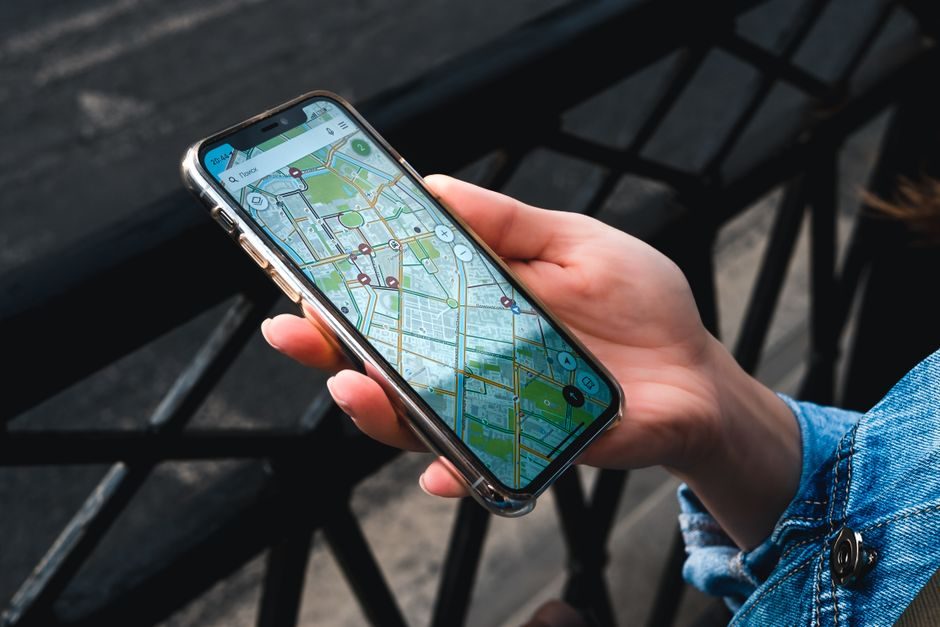
Navigate Apple Maps listing flow
Open Apple Maps and select the option to add a new place if you’re a new user or claim an established one if it exists. Follow the prompts to enter your business name, address, and category. The platform will guide you through verification steps, which may include a call or postcard to confirm ownership. athertonfm.com
- Phone or postcard verification confirms ownership
- Keep the listing consistent with other channels
- Review all fields for accuracy
- Publish after verification to go live
As you fill in fields, keep descriptions concise yet descriptive, using fashion-relevant terms that help shoppers understand what you offer. Use a consistent voice that matches your store’s branding and seasonal campaigns.
This phase ends with a verification step. Completing it promptly signals that your listing is ready to appear in search results and map views.
- Open Maps > Add a new place
- Enter name, address, category
- Submit for verification
- Await confirmation
Optimizing your listing content
After the listing is live, refine the description to reflect your fashion niche—think style notes, target shoppers, and standout services like styling appointments or curbside pickup. Add high-quality photos that show interior design, fixtures, and product ranges. The more accurate the photos, the more confident customers feel when visiting.
Refresh opening hours for seasonal events and promotions. If you host pop-ups or trunk shows, note them in the business description to attract nearby pedestrians and weekend shoppers.
Monitor the listing for incorrect details or occasional user updates and adjust promptly to maintain trust with readers.
- Add a clear, fashion-focused description
- Upload attractive interior and product photos
- Highlight services like curbside pickup or styling
- Update hours for events and promotions
Beyond basic listing: options for visibility
Claim additional features
Apple Maps offers extras like business attributes and call-to-action buttons. If available, enable features such as directions, reservations, or appointment booking. These tools help guide fashion shoppers from search to storefront in a few taps. Atherton, California events calendar
- Activate helpful CTAs
- Add photo gallery and video tour
- Link to events and promotions
- Sync with social profiles
Evaluate whether you need a short, striking gallery or a video tour to showcase your store layout, window displays, or seasonal launches. Visuals that echo your current collection can entice impulse visits during peak shopping hours.
Integrate your Apple Maps presence with your other digital assets, like social profiles or a dedicated landing page for in-store events. Consistent branding across channels reinforces recognition and trust.
- Enable directions and bookings when possible
- Use gallery and video to tell your store story
- Coordinate listings with social channels
- Maintain a consistent fashion-forward aesthetic
| Option | What it offers | Best for |
|---|---|---|
| Basic listing | Name, address, hours, contact | Small boutiques seeking essential info |
| Gallery-rich profile | Photos, video, and expanded description | Stores showcasing visual campaigns |
| Bookings and CTAs | Directions, appointments, and prompts | Shops driving in-store or curbside visits |
Tracking impact and adjustments
Apple Maps provides basic insights on views and saves. Use these signals to guide tweaks: emphasize bestselling items during busy periods, adjust hours for local events, or update photos to reflect new seasons. The goal is steady improvement, not fixation on metrics.
Compare the listing’s performance with your other local profiles, noting where customers show most interest. If foot traffic increases after a styling event, consider scheduling more pop-ups or in-store stylist appointments.
Regular audits prevent outdated information from turning away potential customers who expect fashion-ready details.
- Use available insights to refine visuals
- Coordinate with events and promotions
- Conduct periodic accuracy checks
- Aim for a cohesive brand presence across platforms
Avoid listing duplications, which can split reviews and create confusion about location.
Common pitfalls to avoid

Mismatched details
Ensure the listing’s name, address, and category match your in-store details exactly. Inaccurate or inconsistent data frustrates shoppers who rely on quick facts to find you. The result is lost visits and negative first impressions on a fashion-forward brand. sell second-hand items in Atherton, California
Avoid listing duplications, which can split reviews and create confusion about location. If you operate multiple entrances or adjacent spaces, choose the primary address and reflect it consistently across maps and other channels.
Don’t neglect updates after changes like renovations or new hours; outdated information erodes trust and invites missteps during peak shopping days.
- Match name/address/category precisely
- Avoid duplicate listings
- Keep hours and services current
Overloading the profile
Adding too many images or verbose descriptions can overwhelm readers and slow the loading of your listing preview. Curate a small gallery that highlights core aesthetics—shopfront, interior, and a flagship product. Quality beats quantity for first impressions.
Save verbose details for your website or lookbook; the listing should cue interest and guide shoppers to explore more. Use straightforward calls to action to keep navigation simple.
Test how the listing reads on mobile screens; a busy layout can deter quick decisions when shoppers are nearby.
- Curate a focused photo set
- Resist overlong descriptions
- Keep calls to action simple and direct
Advanced claim options and consistency
Refined claim options for listing
Begin with a precise business category to align with fashion searches, then add a short descriptor that fits your brand voice. Use consistent naming across all platforms to avoid confusion when customers cross-check your profile. Regularly audit your listing to ensure category, hours, and contact details stay aligned with your real-world operations. obituaries in Atherton, California
- Choose a single, accurate category that mirrors your primary offering
- Standardize name, address, and phone across listings
- Review and refresh the listing quarterly
Maintain a uniform address format and phone number across maps and your site; small inconsistencies derail search accuracy and customer trust. If you run seasonal pop-ups or showroom hours, reflect those changes in the listing promptly. Use the same city spelling and street abbreviations everywhere for reliability.
Consider future updates you may want—inventory highlights, fashion events, or styling services—and plan those fields now so you can scale without confusion. This upfront discipline pays off in smoother customer experiences and stronger visibility.
- Use one primary category
- Keep business name consistent
- Update hours promptly
Visuals that convert

Photography that supports your brand
Your cover photo should reflect current style anchors—think looks people can recreate or shop instantly. Use high-resolution images with clean lighting to avoid dull or noisy visuals. Show a sense of scale so customers understand how your space or products feel in real life.
Add lifestyle shots that reveal fit and styling ideas, not just product pages. This helps shoppers imagine themselves wearing your pieces in real settings. Keep editing gentle; oversaturation distracts more than it helps.
Include storefront or interior photos that convey atmosphere and accessibility, so first-time visitors feel invited. Update these images seasonally to keep the listing feeling fresh and relevant.
- Feature a seasonal hero image
- Use lifestyle shots alongside product photos
- Keep image quality high
Integrations with Atherton, California events calendar
Syncing with local events
When you add Atherton events, your business gains contextual relevance with fashion-forward audiences. Link product launches or pop-up dates to the community calendar so shoppers can plan visits. This keeps your listing timely and useful rather than static.
Coordinate event pages on your site with Apple Maps updates; clear, actionable dates help customers decide to visit. If you host a trunk show, include a map pin and a dedicated photo reel to boost engagement.
Track which events yield in-person visits or inquiries, then tailor your upcoming updates to replicate those wins. Consistency across events builds recognizable momentum and customer trust.
- Align with local calendars
- Update event details
- Measure event impact
Local pitfalls and reader tips

Common missteps and fixes
Missing hours or inaccurate contact details confuse first-time customers and erode trust. Double-check every field from business name to neighborhood. A clean, reliable listing reduces friction and encourages foot traffic.
Overloading the listing with generic terms dilutes specificity; prioritize clear descriptors that match your fashion niche. If you run a boutique with styling services, mention it in a concise, client-focused way.
Neglecting to respond to reviews or questions can signal inattentiveness. Set a routine for monitoring Apple Maps messages and public inquiries so customers feel heard.
- Verify all contact details
- Avoid vague descriptors
- Respond to inquiries promptly
Frequently asked questions
Do I need a separate Apple ID for my business listing?No. Use a dedicated business email and a single Apple ID to manage updates, claims, and responses. This keeps permissions clear and makes audits easier.
How long does it take for Apple Maps to approve changes?Approval times vary, but changes typically appear within a few days if the listing is complete and verified. Maintaining accuracy helps speed up reviews.
Can I link to external booking or e-commerce from the Maps listing?Yes. You can include a booking link or product pages in your business description or directions section, provided it stays relevant and uncluttered.
What should I do if a competitor claims my listing?Report suspected misuse to Apple Support and ensure your business profile includes unique identifiers like precise location and distinctive branding to reclaim control.
Conclusion
A well-managed Apple Maps listing complements your fashion-forward brand by guiding shoppers from map search to boutique visit with clarity and style. Start with solid basics, then layer on visuals, events, and local context to sustain momentum.
A disciplined approach—regular updates, consistent details, and thoughtful photography—turn map listings into a reliable touchpoint for your audience, not a missed opportunity. Take the next step by auditing your current listing and drafting a quarterly refresh plan.
Add Hair Cut Styles as a preferred source on Google


